Article Source: Stratahost
It is important to have a password that is easy to remember, but hard to guess.
Hackers can guess your password if it is a name or word from the dictionary.
The best password will contain the following:
- At least two Capital letters
- At least one lower-case letter
- At least one number
- At least two symbols (optional because we will add symbols as padding)
- Padding characters
Writing down your password is the most common security risk.
But imagining and then remembering such a password can be difficult.
Ok, here is how to make great passwords.
- Start with a really simple word or name at least 8 letters long. I will use my name: stratahost
- Change two letters to symbols that look similar. Use $ for s, @ for a, ! for i, and so on: str@taho$t
- Change a letter to a number that looks similar. Use 1 for l, 0 for o, 8 for b, and so on: 5tr@tah0$t
- Include two Capital letters, like this: 5Tr@taH0$t
- Now add some padding characters, like this: ...5Tr@taH0$tr...
Great! Now you have a password that is easy to remember, but hard to guess.
It is acceptable to make a few different passwords and reuse them for different sites and devices. Just be sure that you don't reuse your most important passwords.
Pro Tip: For more security, try using a combination of 3 or more less-obvious words, and then substitute a few numbers and symbols. The longer the password, the harder it is to guess.
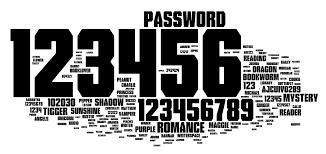
Here are some bad passwords you should NEVER use:
- password
- secret
- money
- love
- 123456
- qwerty
- numbers representing your birthday
- name of family, friend or pet
- anything that can be found in the dictionary